Guide
How to Make a Word Search With Your Own Words
A word search is the easiest puzzle to make yourself, and the one people love most when it’s personal: the residents’ names, the class spelling list, the family at Thanksgiving. Here’s how to do it by hand, in a word processor, or in ten seconds with a free maker, plus the one check almost everyone forgets.
The quick way, on video
 0:20
Choose the words and the grid size
- 10 to 15 words for a 15 x 15 grid is the classic size.
- 8 to 10 words on a 12 x 12 grid for kids or for large print.
- The grid needs to be at least as wide as your longest word, plus a couple of spare columns.
- Drop spaces: “ice cream” is hidden as ICECREAM and listed as “ice cream.”
By hand, on graph paper
- Draw the grid in pencil, one letter per square.
- Write the longest words in first, then fit the shorter ones around them. Use a mix of directions: across, down and diagonal. Words can share a letter where they cross, which makes the puzzle tighter.
- Make a copy now with only your words on it. That’s the answer key; circle each word on it.
- Fill every empty square with a random letter. Use the letters that already appear in your words, not just any letters, so the hidden words don’t stand out.
- Write the word list under the grid.
In Word or Google Docs
Insert a table with as many rows and columns as your grid, set a fixed column width and row height so the cells are square, center the text, and pick a plain font like Arial at 14 point or more. Type your words in first, save a copy as the key, then fill the rest. It’s fine for one puzzle; for a weekly activity it gets old fast.
The ten-second way
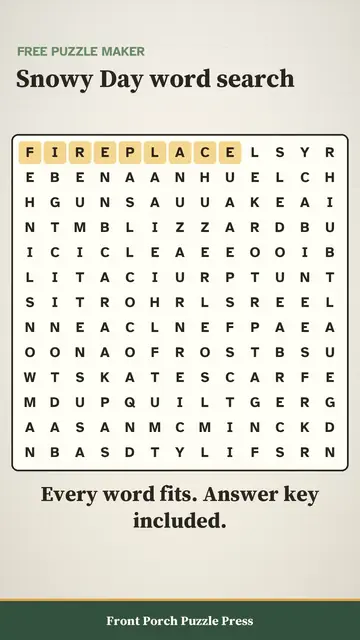
Our free Puzzle Maker places the words for you: type or paste your list, choose Word search, press Make and print. Every word fits exactly once, the answer key comes on its own page, and there’s no signup. There are versions set up for a list of names and for large print.
The check everyone forgets
Random fill letters sometimes spell a word you didn’t mean to hide, and occasionally it’s a rude one. Before you copy fifty sheets for a classroom or a senior center, scan the filled grid across, down and diagonally for anything unfortunate. By hand it’s a two-minute read. Our Puzzle Maker checks its own fill against a blocked-word list in every direction and redraws the grid if anything turns up.
Large print word searches for seniors
- Keep it to 12 x 12 or 13 x 13, with letters at 20 point or larger.
- Run words only forward: left to right and top to bottom. Backwards words frustrate more than they challenge.
- Use a clear sans-serif font and high contrast: black on white or cream.
- A theme people remember (old cars, 1950s TV, the town’s streets) gets conversation going while they search.
Need a stack of them ready to go? The free daily puzzle is a fresh large print word search every morning, and the free puzzle pack has 16 pages with answers.
Ideas that always go over well
- A welcome-week puzzle of the new residents’ or students’ names.
- A family reunion search with every cousin in it.
- A spelling list puzzle for homework.
- A birthday puzzle of the guest of honor’s favorite things.
For a gift, the personalized puzzle book turns a family’s names into a whole large print book of puzzles. It’s part of Puzzle Studio, with the free maker and the bingo card generator.
Questions & answers
How do I make my own word search for free?
Choose 10 to 15 words, place them in a grid across, down and diagonally, save a copy as the answer key, then fill the empty squares with random letters. A free word search maker does the placing and the key in seconds.
Can you make a word search in Microsoft Word?
Yes. Insert a table with square cells, type your words in, save a copy as the key, then fill the empty cells with letters. It works for one puzzle; a maker is quicker for regular use.
What size word search is best for seniors?
12 x 12 or 13 x 13 with letters at 20 point or larger, words running only forward, and a theme people remember.